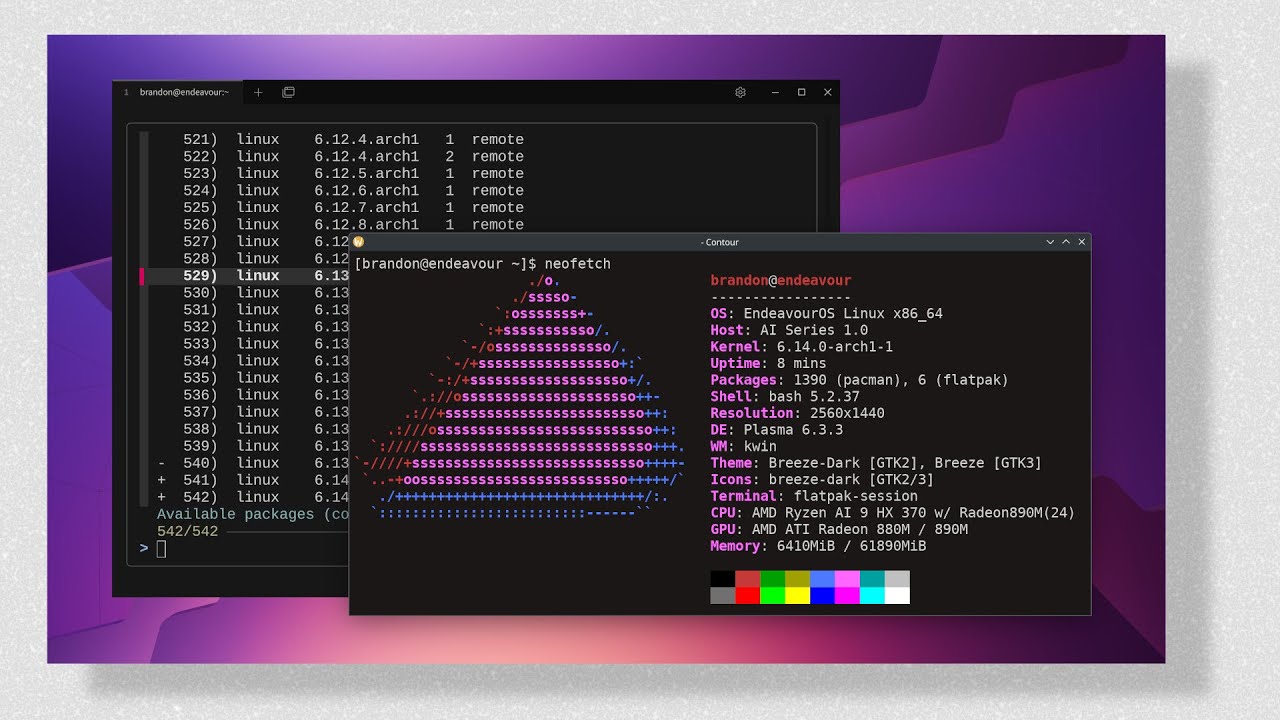


Upgrading or pulling back the kernel on Arch is a common headache—especially when the latest release drops a bug or the hardware suddenly misbehaves. In this quick guide we’ll walk through the safest ways to upgrade or downgrade any package, with a focus on the kernel, and show how tools like yay and downgrade make the process painless.
The Kernel: A First-Class Citizen
The Linux kernel is just another package in your system. Whether it’s linux-6.14 from core or linux-6.13 from testing, you can swap it the same way you install any other package. The only nuance is that a kernel change requires a reboot, and you must keep matching headers and modules in sync.
## List all installed kernel packages

pacman -Q | grep linux

## Upgrade to the newest available

sudo pacman -Syu

## Switch to a specific version (e.g. 6.13)

sudo pacman -S linux-6.13 linux-headers-6.13
If you’re using a derivative like EndeavourOS, the kernel lives in a dedicated package, but the commands stay the same.
Why You Might Downgrade
Sometimes the bleeding-edge kernel brings regressions: driver glitches, security misbehaviour, or simply a new kernel that hasn’t been tested with your GPU or CPU. Before you hand over the reins, consider:
- Bug tracking: Check the Arch bug tracker for your kernel version. If the bug is already filed, you might simply need to wait for a fix.
- Dependencies: Downgrading a package can require pulling back any libraries that depend on its newer ABI.
- Reboot and re-load: Kernel changes are only applied after a reboot. Any services that load kernel modules (e.g., NVIDIA, VirtualBox) will need restarting.
The downgrade Tool
The simplest way to pull back a package is the downgrade helper. It’s a tiny Bash script that pulls the old package from Pacman's cache or the Arch Linux Archive (ALA) and installs it.
## Install the helper if you don’t already have it

yay -S downgrade

## Downgrade the kernel (will prompt for the version)

sudo downgrade linux

## After you pick the version, the tool will handle dependencies
It’s interactive and safe: it will refuse to downgrade if the selected version would break your system. It also offers a handy --skip flag to keep packages from being upgraded later by adding them to IgnorePkg in /etc/pacman.conf.
Fallback: Pacman Cache
If the downgrade tool can’t find a version (maybe because the cache was cleaned), you can still roll back manually:
## Find the package file in the cache

ls /var/cache/pacman/pkg/ | grep linux-6.13

## Install the older package

sudo pacman -U /var/cache/pacman/pkg/linux-6.13-1-x86_64.pkg.tar.zst
Pacman will resolve any dependency changes for you, but if a library has a soname change you may need to rebuild dependent packages.
Arch Linux Archive (ALA)
For older kernel releases that never appeared in your cache, the ALA is a lifesaver. It’s a daily snapshot of the official repos. Browse the web interface, download the tarball, and install it as above:
wget https://archive.archlinux.org/packages/l/linux/linux-6.13-1-x86_64.pkg.tar.zst
sudo pacman -U linux-6.13-1-x86_64.pkg.tar.zst
After you’re back on a stable kernel, add it to IgnorePkg to avoid accidental upgrades.
Managing Everything with yay
yay is more than a package installer; it’s an AUR helper that understands both official and community packages. Use it to search, install, upgrade, and downgrade:
## Search for a package (official + AUR)

yay firefox

## Install a specific AUR package

yay -S google-chrome

## Upgrade everything (including AUR)

yay -Syu

## Downgrade a package with the built-in helper

yay -S downgrade
sudo downgrade nginx
yay also offers cache cleaning (yay -Sc) and orphan removal (yay -Yc), so you keep your system lean.
Quick Summary
- Upgrade with
pacman -Syuoryay -Syu. - Downgrade with the downgrade helper (
sudo downgrade <pkg>). - Fallback to the Pacman cache (
pacman -U /var/cache/pacman/pkg/...). - Old releases via Arch Linux Archive.
- Keep it tidy with yay’s cleanup utilities.
If you ever hit a kernel that makes your screen flicker or your GPU refuse to load, remember: the package manager is your friend, not the enemy. Grab a coffee, run the commands, reboot, and you’re back in the swing room. Happy hacking!